Figma Plugin
The Boxicons Figma plugin lets you search, preview, and insert Boxicons directly into your Figma designs. It’s the fastest way to use Boxicons while designing, without leaving Figma.
You can browse the full icon library, switch between styles and weights, and insert icons as editable SVGs with a single click.
Install the Plugin
You can install the Boxicons plugin directly from the Figma Community:
👉 Open the Boxicons Figma Plugin page
https://www.figma.com/community/plugin/1591165962558819240
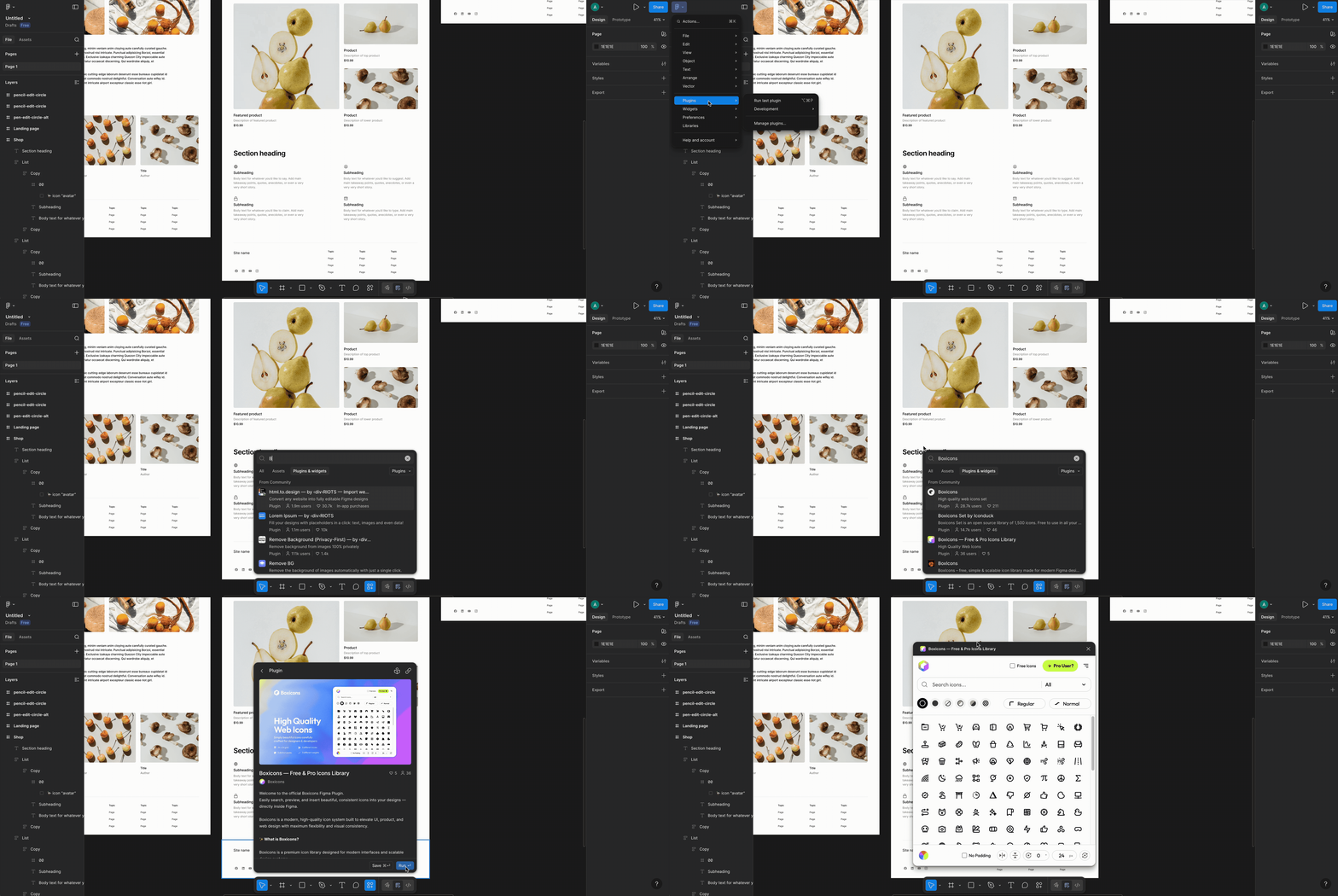
Click Run and the plugin will be added to your Figma account.
Open the Plugin
- Open any Figma file.
- Right-click on the canvas.
- Select Plugins → Boxicons.
The Boxicons panel will open inside Figma.
Using the Plugin
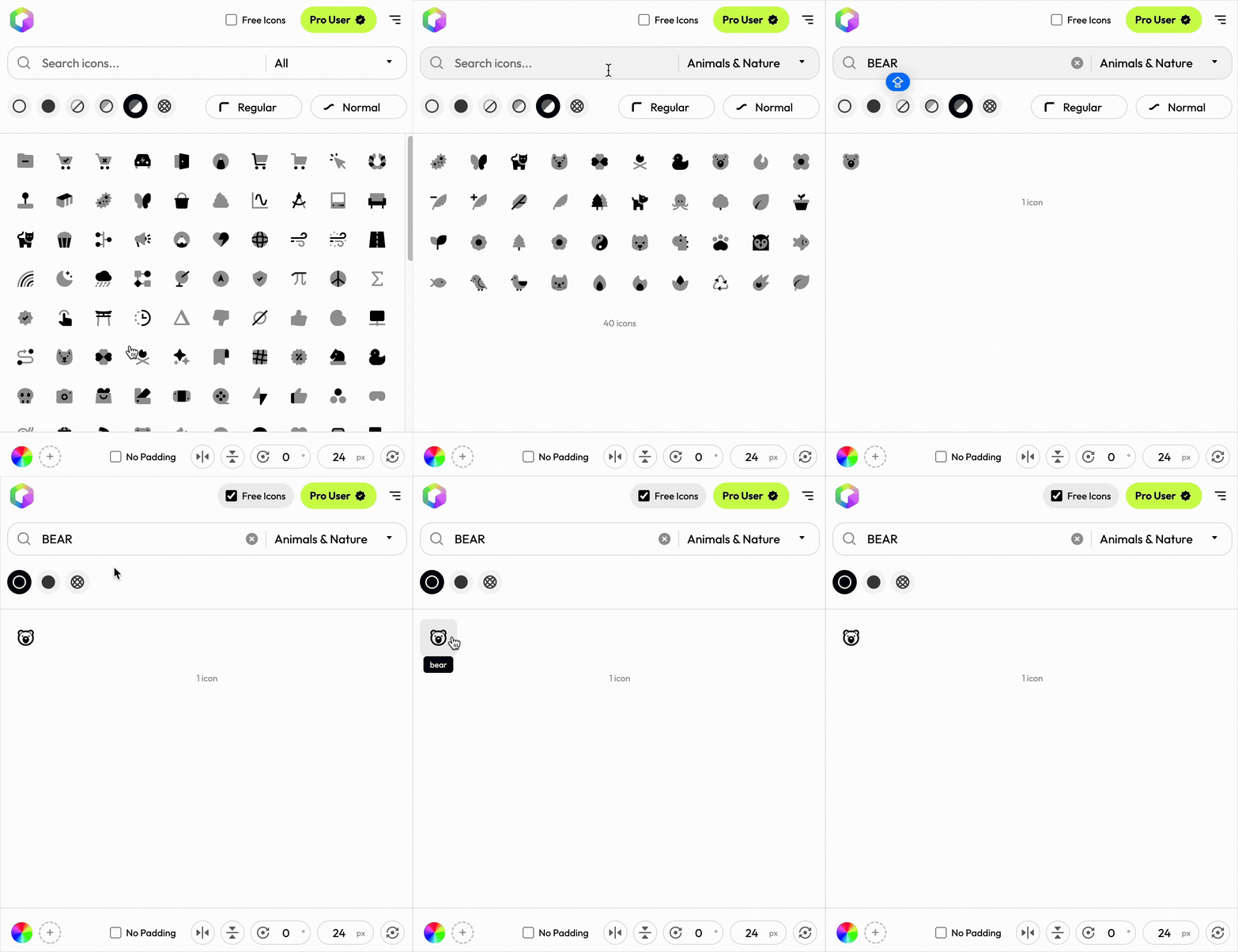
- Use the search bar to find any icon by name or keyword.
- Filter by pack, style, or weight if needed.
- Click an icon to insert it into your canvas.
Icons are inserted as editable SVGs, so you can:
- Change colors
- Resize freely
- Edit paths
- Apply effects and styles
Need Help?
If you run into any issues or have feedback, contact us at:
We aim to reply within 24 hours.